 Header Editor Pro
Edit HTTP headers, redirect requests and add cookies — one profile per environment
A free, open-source extension for Chrome and Firefox. Test against staging, debug auth and CORS, and switch environments without touching code.
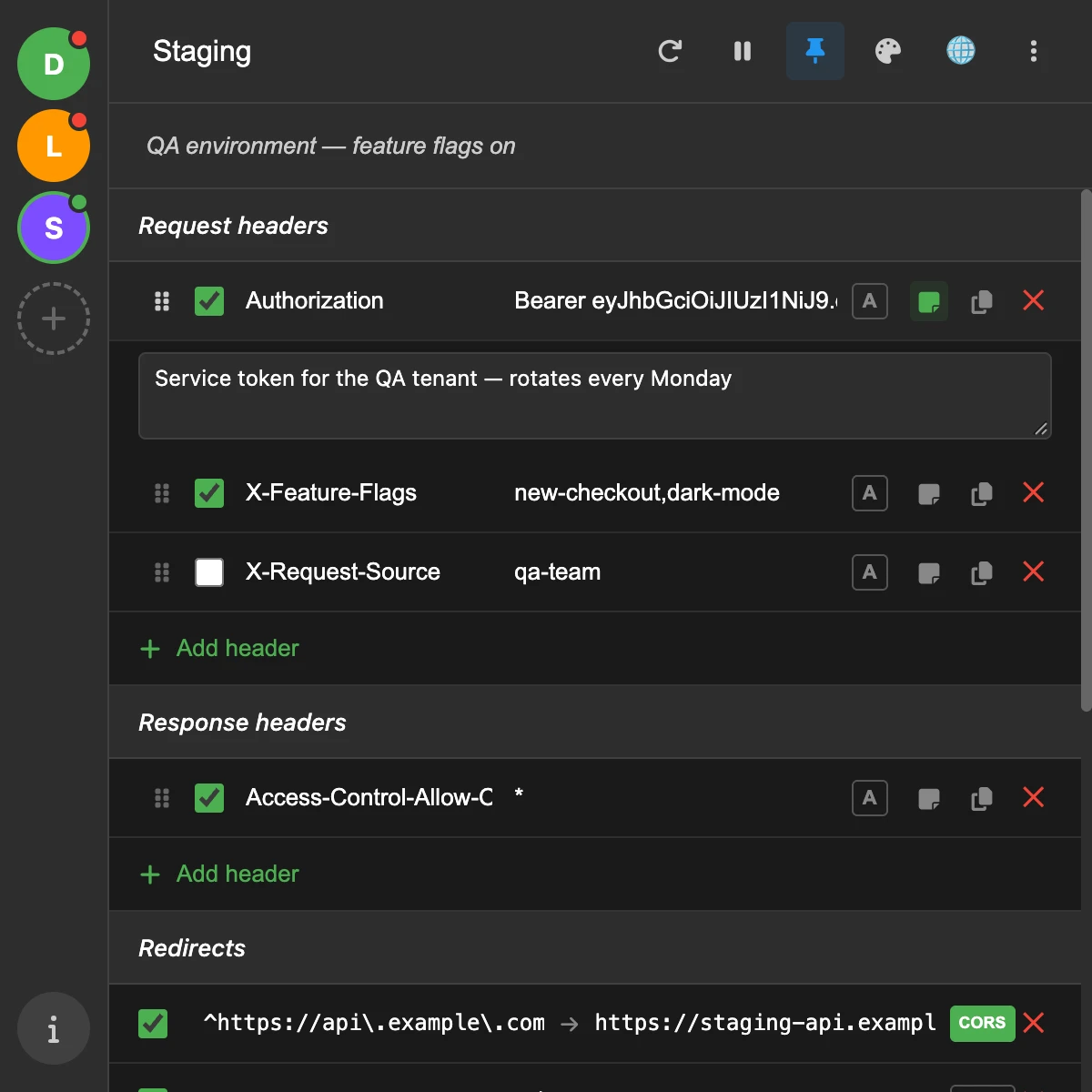
What it does
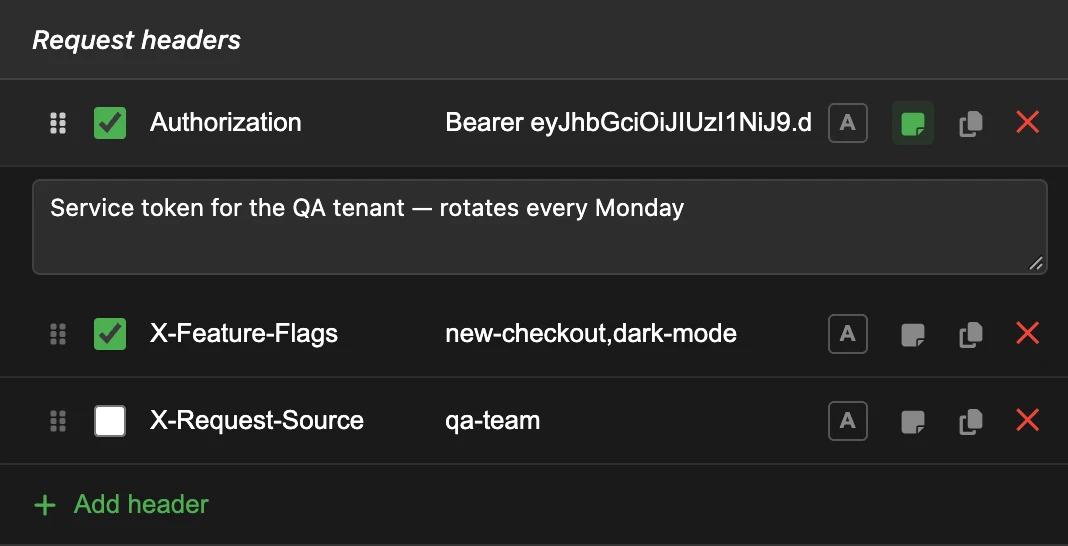
Request and response headers
Set, append or remove any header. Each one has its own switch and an optional note, so six months from now you still know why that token is there.
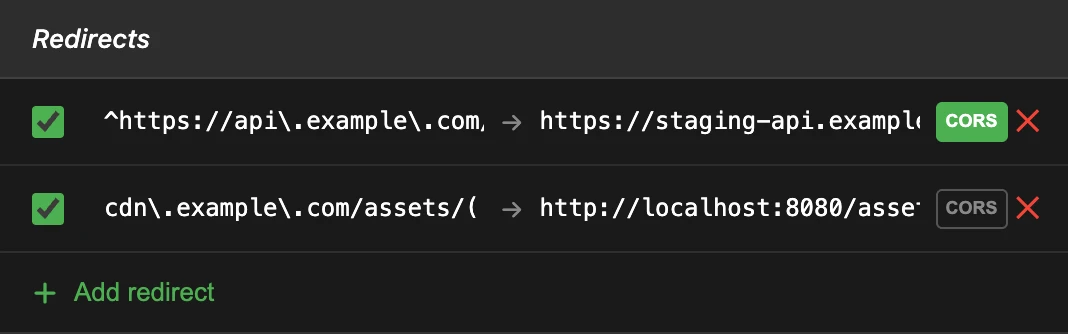
Redirects between environments
Send requests that match a regular expression to another URL — staging, a local server — using $1 capture groups. Turn on CORS when the target is on another origin.
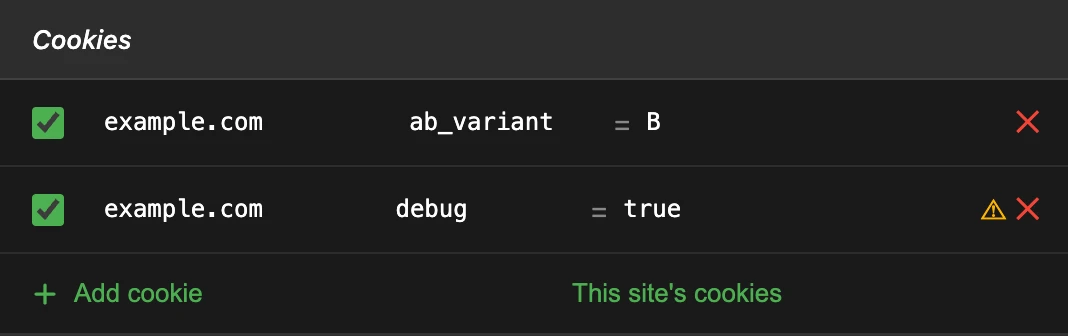
Cookies per profile
Add cookies to a domain's requests without writing them to the browser. They stop the moment you pause or switch profile, and a warning tells you when the site already sets one with the same name.
Also included
Profiles and filters
As many profiles as you need, each limited to some domains or, in Chrome, to a tab group.
Import and export
JSON backups, profile lists from other header editors, and Requestly redirect rules.
Share what's on
Copy a profile's enabled items; a teammate imports them as a ready-made profile.
Pause
Turn every rule off in one click without losing any of them.
Set or append
Append to multi-value headers such as Accept or Cookie instead of replacing them.
Light or dark, 7 languages
English, Español, 日本語, 한국어, Русский, 简体中文, 繁體中文.
Common uses
- Call an authenticated endpoint
Authorization: Bearer <token> - Point a frontend at staging
api.example.com → staging-api.example.com - Debug CORS
Access-Control-Allow-Origin: * - Force a feature flag or A/B variant
Cookie: ab_variant=B
Your data stays in your browser
Profiles are stored locally. The extension has no servers, no analytics and no account, and the rules run inside the browser itself, so it never sees the requests it changes. The code is on GitHub if you want to check.
Read the privacy policyFree, and nobody's paying for it
This extension costs nothing, and no one pays me to maintain it or to build new things into it. It gets better in my own time.
Want something improved? Open an issue and let's talk it through — that's free too, and it's the best way in. Open an issue →
Chip in and your request moves up my queue. And if you'd rather not, no hard feelings — nobody ever turned down a glass of water ;)